Showing posts with label Graphics Programming. Show all posts

Sunday, 10 February 2013

Programming Project: Bounding Spheres

A very very rubbish version of space invaders showing off the messaging system and simple collision detection using bounding spheres.


Email: 10004794@napier.ac.uk - Please put blog in the subject.
Xbox Gamertag: craigmcmillan01
Twitter: 
steam: craigmcmillan01
add or follow and we can game!

Sunday, 20 January 2013

Graphics Programming: Frustum Culling

For a little bit of fun i thought i would try and speed up the frame rate of my graphics applications. I am not really sure if i have done this the correct way and it is a bit different from a few of the tutorials that i found online and i still have not finished tinkering with it, but it has somehow increased the frame rate so here is what I've done so far.

 In my understanding to find out if an object is in view or not you calculate the viewing frustum by using the following plane definitions.

Once you have these definitions you then take a co-ordinate that is transformed into camera space and do the dot product of the co-ordinate and the plane, if the value is positive it is in view and if it is negative it is not in view. 

This is the process that i have followed, i calculate each of the planes and store them in an array. I then have a function which takes in the co-ordinate to be checked, convert it into camera space and calculate the dot product against each of the frustum planes, if the value for any of the planes is less than zero the function will return false and the object will not be drawn else it will return true and the object will be drawn.

The scene i have used to test this is the same scene from the fog example which contains some furniture which is created from multiple geometry objects and some simple terrain generated from a height map. 

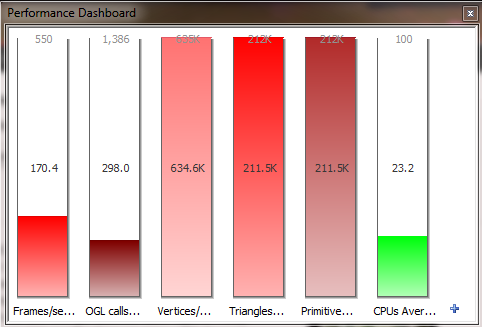
gDEbugger is used to display the frame rate and some other performance metrics. 


With all the furniture geometry being drawing this scene is getting a frame rate of ~170fps and there is 634.6K vertices/frame. 


If we rotate the camera around so that the furniture objects are out of view and not being rendered. We can see that the amount of vertices/frame, triangles/frame and primitives/frame all drop and there is a big increase in frame rate to ~ 509fps when we are sending less geometric primitives down the graphics pipeline. 

I am currently passing in the position of the object rather than making use of bounding volumes and bounding volume hierarchy's i am also only calculating the frustum planes once and storing the values compared to other tutorials i have seen where the planes are being calculated every frame. 

I am going to try and continue working on this if i get a chance but i start back at university this week and have some pretty interesting modules this term and get to work on some exciting projects which i am looking forward too! 

If you would like a copy of the code feel free to email me and i will be happy to send it to you. Thanks for reading! Any questions or feedback i would love to hear from you.

Email: 10004794@napier.ac.uk - Please put blog in the subject.
Xbox Gamertag: craigmcmillan01
Twitter: 
steam: craigmcmillan01
add or follow and we can game!

Friday, 28 December 2012

Graphics Programming - Foggy Lake

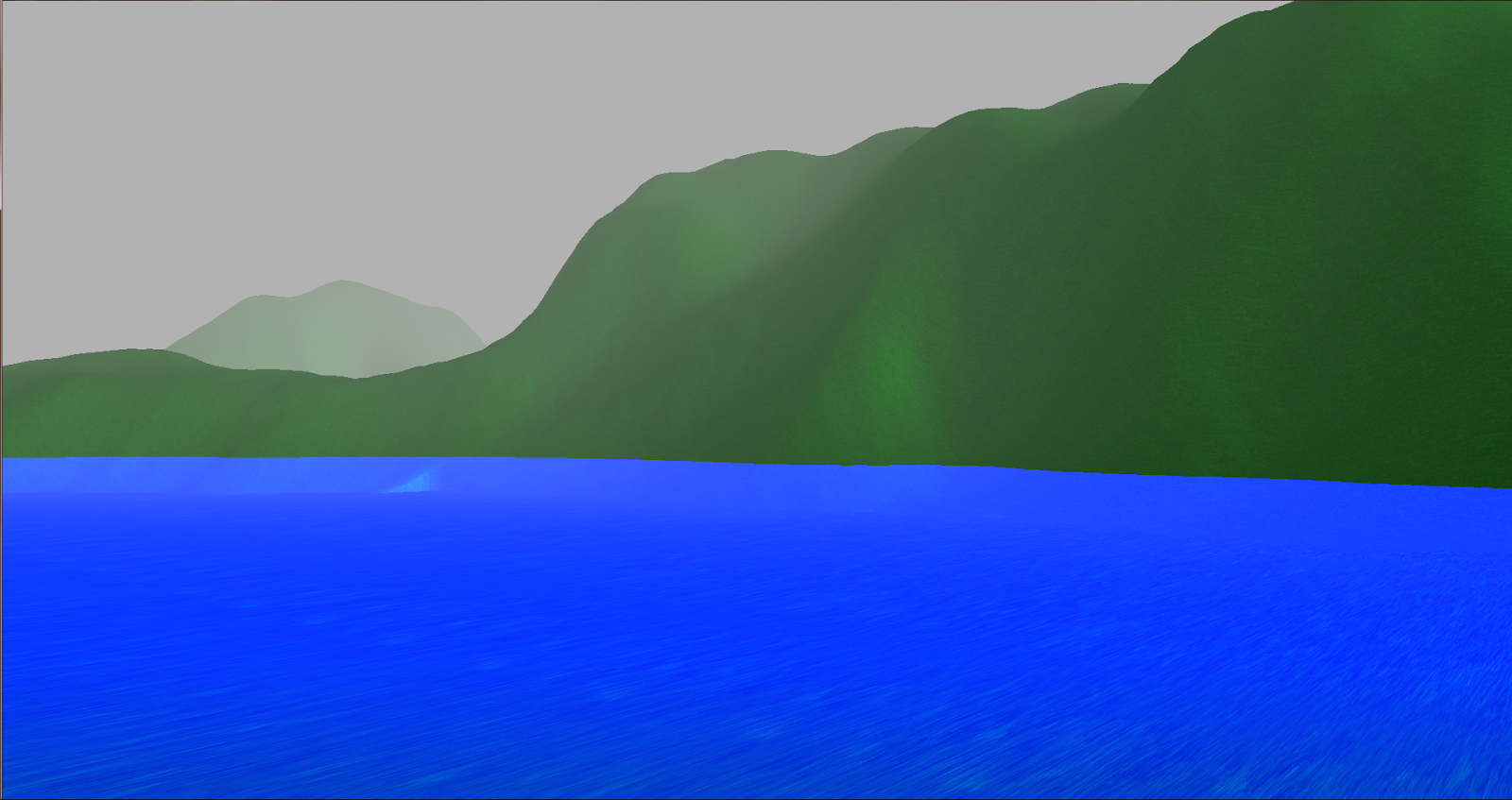
I decided to combine the water effect and the fog effect to create a scene of a lake covered in a light fog.


Thanks for reading! Any questions or feedback i would love to hear from you.

Email: 10004794@napier.ac.uk - Please put blog in the subject.
Xbox Gamertag: craigmcmillan01
Twitter: 
steam: craigmcmillan01
add or follow and we can game!

Graphics Programming - Better Fog

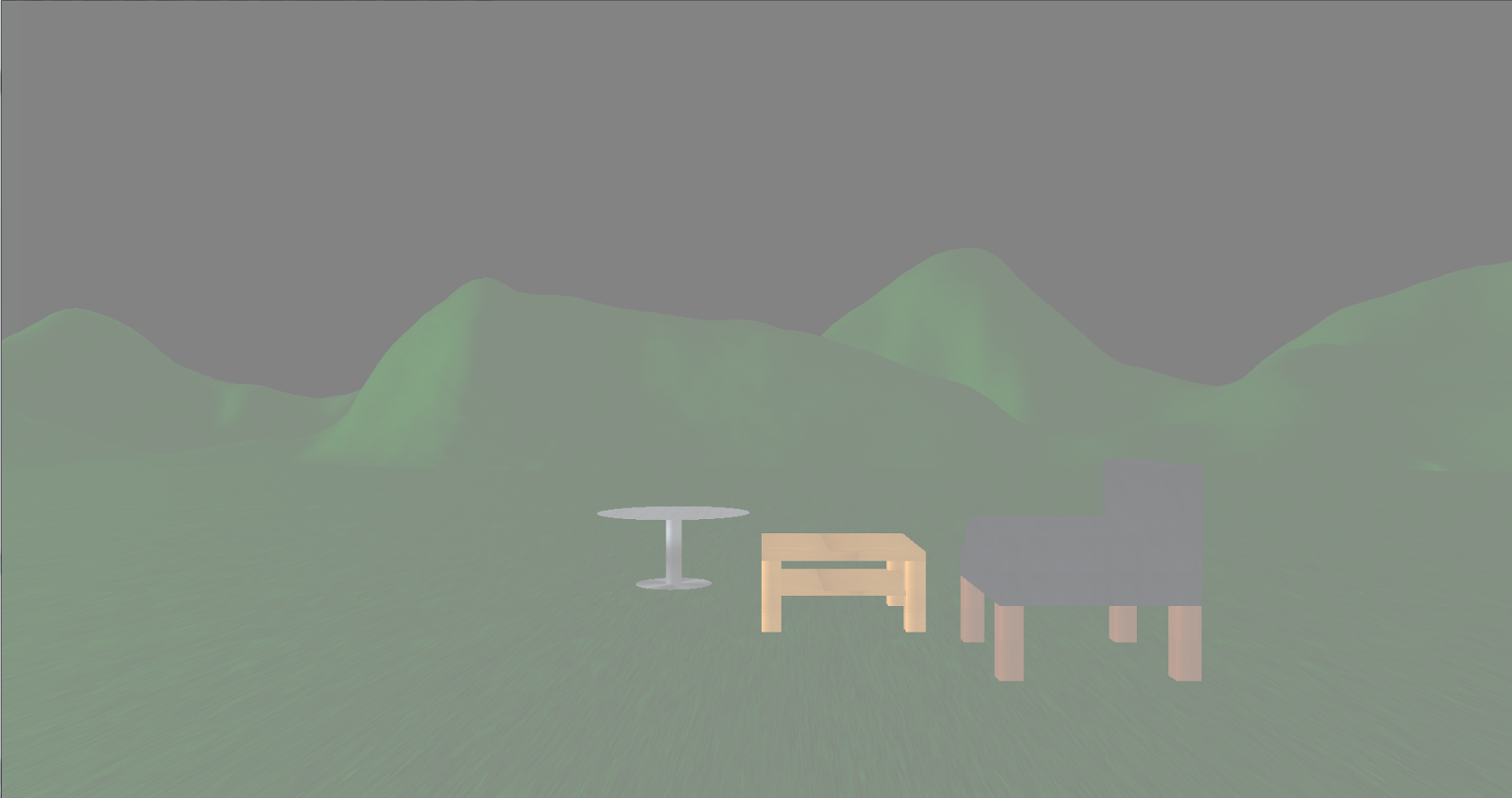
In my last post about fog, in the video when i moved to the centre of the world next to the chairs all the fog disappeared. I thought this was a little weird but i couldn't quite figure out why until i discovered that i was calculating part of the equation in correctly.

Here are some new screen shots and a quick little video to demonstrate the difference.


Thanks for reading! Any questions or feedback i would love to hear from you.

Email: 10004794@napier.ac.uk - Please put blog in the subject.
Xbox Gamertag: craigmcmillan01
Twitter: 
steam: craigmcmillan01
add or follow and we can game!
Graphics Programming- Lake

While playing about with the fog equation and the shaders i accidently made a lake. I thought it looked kinda cool so here is a little screen shot.


Thanks for reading! Any questions or feedback i would love to hear from you.

Email: 10004794@napier.ac.uk - Please put blog in the subject.
Xbox Gamertag: craigmcmillan01
Twitter: 
steam: craigmcmillan01
add or follow and we can game!

Wednesday, 26 December 2012

Graphics Programming - Fog

Hello! Its the Christmas holidays and I've had some time to play about with code in between working the Christmas sales and spending time with my family. One little bit of code i have implemented is fog which i have done by making use of the pixel shader.

After reading up about the different equations that can be used to calculate fog. I choose to implement the equation known as exp2 which is an exponential equation for calculating fog.
Exp2 Equation
No Fog
A Little Fog
Lots of Fog
This equation gives a fairly reasonable effect however the fog is applied to everything across the scene. One thing i would like to get working is so that fog is only applied to certain areas in the scene i belive this could create a nice effect when combined with the terrain.

Here is a little video of me moving around the scene. 


Thanks for reading! Any questions or feedback i would love to hear from you.

Email: 10004794@napier.ac.uk - Please put blog in the subject.
Xbox Gamertag: craigmcmillan01
Twitter: 
steam: craigmcmillan01
add or follow and we can game!

Friday, 7 December 2012

Graphics Programming - Coursework Scene

It has been a couple weeks since i last posted about my graphics programming work but since then i have been working on my coursework scene. Now that it is all handed in i can show you some of the things that i done for it.

Our coursework was to create a 3D scene using OpenGL, our scene had to be read in from a JSON file and include multiple pieces of geometry.

The idea for my scene came from a few different inspirations. The first inspiration was from bonfire night and thinking that it would be pretty fun to try and make fireworks, the other came from an optical illusion that i came across while being distracted by the internet. You can see what that illusion was here.

To try and recreate the illusion i had to get multiple post process effects working which could be switched between after a set time or either by the user. In addition to the negative effect and grey scale effect that i needed for the illusion i also added a sepia and night time effect.

The scene with the park bench also includes a skybox which makes use of cube maps and dynamic lighting to illuminate the bench.

The firework scene has terrain which is generated from a heigtmap and some Ikea furniture which looks a little out of place in the middle of a mountain...

Images of the scenes are shown below with each of the post process effects applied.


Here is a video of my scene in action. If you stare at the centre of the screen until the negative effect changes it should briefly appear in colour even though it is a grey scaled image. 


Thanks for reading! Any questions or feedback i would love to hear from you. If anyone would like a runnable version of the scene feel free to send me an email and i will happily send you a copy. 

Email: 10004794@napier.ac.uk - Please put blog in the subject.
Xbox Gamertag: craigmcmillan01
Twitter: 
steam: craigmcmillan01
add or follow and we can game!

Wednesday, 21 November 2012

Graphics Programming - Fireworks and Skyboxes

Due to other coursework taking priority I've not had as much time as i would have liked to focus on graphics programming, However i have made a little bit of progress with the fireworks.

Fireworks

I was able to get the fireworks exploding a little bit better but they are very square in the way they explode so i am still working on them to get them looking more like a firework. I am also going to look into using point sprites and bill boards to achieve the effect as well but here is a little video update. 


Skyboxes

I also added cube maps into my rendering framework which allows me to create skyboxes so i can add backgrounds to my scene. 


By making use of the shaders it is possible to make the skybox reflective. 

Thanks for reading! Any questions or feedback i would love to hear from you. 
Email: 10004794@napier.ac.uk - Please put blog in the subject.
Xbox Gamertag: craigmcmillan01
Twitter: 
steam: craigmcmillan01
add or follow and we can game!

Thursday, 8 November 2012

Graphics Programming - Furniture and Fireworks

This week i decided to sit and play about with my code a little bit and attempted to make some small scenes.

Trip to Ikea

I decided to take a nice little trip around the Ikea website and picked a few pieces of furniture to try and recreate in my scene. 

For the fantastic price of £25 this coffee table could be yours! 
A little pricey at £140 but this BILLSTA table is well worth it.

The comfiest chair you will ever sit in.

Wouldn't this just look fantastic in your house

Fireworks

I also decided to try and add in some particle effects and try and make fireworks as all the pretty displays i seen on the 5th November kinda inspired me to make my own.

So far i have a bunch of particles that fire up in the air and explode but they don't quite look like fireworks just yet...

In the first video you can see the particles appear and explode and just go everywhere which looks a little more like explosive snow.

In the next video you can see what is actually happening a little better, the firework is launched upwards and then explodes when it reaches about 10 on the y axis. 
I have only spent a few hours on this so far but once i can figure out how to contain the explosion so it looks more like a firework i should be able to get the effect that i am looking for.


Thanks for reading! Any questions or feedback i would love to hear from you. 
Email: 10004794@napier.ac.uk - Please put blog in the subject.
Xbox Gamertag: craigmcmillan01
Twitter: 
steam: craigmcmillan01
add or follow and we can game!

Thursday, 1 November 2012

Graphics Programming - Textures

This week i have been playing about with the texturing a little more and getting it so it works with the different  types of light that i have.

Textures and Lights 

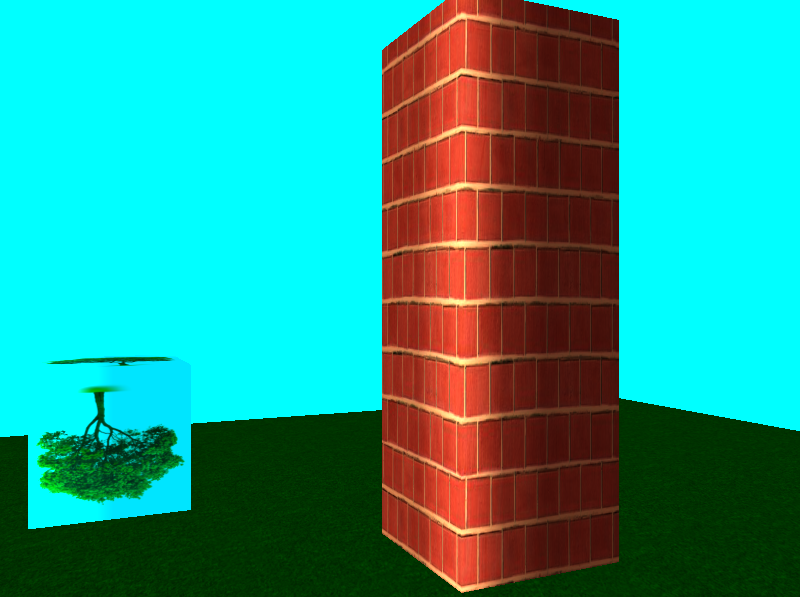
Without any light the texture appears on the cube but the cube looks a little rubbish.

This makes the cube look a little better, we have some shading which looks nice but our texture now looks horrible.  
By playing about with the values for the light we can make our texture 'blend' nicely with our cube and our background so it just looks like a tree. 


Mipmaps and Anisotropic Filtering

The next problem was how to handle textures which had to be scaled. To allow this to work we use mipmaps which produces multiple versions of the image at different sizes which allows scaling based on how far away an image is. 
Up close this makes the objects look fantastic but from a distance like in the picture above they just look horrible. To fix this we use anisotropic filtering which helps preserve detail at extreme viewing angles.

Now we can see alot more detail in our texture than we did before and everything looks a lot nicer now.

Blended Textures

Blended textures makes use of alpha maps to determine how our textures blend by using the alpha value to determine the amount of texture that is applied. 

I am still playing about with this at the moment, just now the alpha map gets applied to every texture and object that i have which makes it look like there is a giant patch of grass in space...


Thanks for reading!
Email: 10004794@napier.ac.uk - Please put blog in the subject.
Xbox Gamertag: craigmcmillan01
Twitter: 
steam: craigmcmillan01
add or follow and we can game!

Thursday, 25 October 2012

Graphics Programming - Cameras and Textures

This week as part of my graphics work i added in a few different camera types and started work on adding textures to the different type of geometry.

Texturing

Texturing allows image data to be applied to the surfaces of the objects to allow more detail to be shown. This allows me to add a brick texture to my cube to give the appearance of a brick wall, it also makes it very simple to change the same cube from a brick wall to a wooden wall simply by changing the texture. However rather than adding a brick texture to my cube like any normal person, i added a picture of my face...


Here i switch between 4 different textures.

Target Camera

The target camera is simply just a static camera which points at a specific target. Here the camera is just set to look at position (0.0, 0.0, 0.0).


First Person Camera

This is the typical camera that you see in first person shooter style games such as Call Of Duty. It simply allows us to move in the direction that we are facing and to rotate and look around. Here you can see me walking backwards and forwards from the object and walking around it. 

Arc Ball Camera 

An arc ball camera faces a specific target and allows us to rotate around and zoom in and out from it. In the example you can see that i can rotate 180 degrees around the object. 

Chase Camera

A chase camera is similar to a third person camera that you might see in a game. It follows a specific object from a set distance and allows us to rotate around it. Here you can see that when i move the object the camera follows it and that i can rotate around the object. 


Thanks for reading!
Email: 10004794@napier.ac.uk - Please put blog in the subject.
Xbox Gamertag: craigmcmillan01
Twitter: 
steam: craigmcmillan01
add or follow and we can game!

Monday, 22 October 2012

Graphics Programming - Exploding Cylinders

This week we added in cameras and support for reading in our geometry and lighting from JSON files.
I will put a proper post up later about the different camera types that i have implemented but here is a quick demo of some cylinders exploding outwards from the different camera angles.


Thanks for reading!
Email: 10004794@napier.ac.uk - Please put blog in the subject.
Xbox Gamertag: craigmcmillan01
Twitter: 
steam: craigmcmillan01
add or follow and we can game!

Thursday, 18 October 2012

Graphics Programming - More Lighting and a Sphere

This week as part of my graphics programming module we were giving the challenge of creating a sphere by using a sub-division technique.

The idea behind the technique is that we have a triangle which fits inside a unit circle, we know that each vertex of the triangle is exactly one unit away from the centre. We then find the midpoints of each line in the triangle and use the points to subdivide the individual lines and then push the midpoints out so they are unit length from the centre and continue this approach until we get a sphere.

The first time i tried this, i managed to mess up how i was pushing back the normals but this actually created some nice effects on the sphere.

At 6 divisions, it starts to look a little like a basketball.
With the normals being pushed back correctly we get a nice smooth sphere. 

I also added some more types of lighting to the framework we are creating. 

Point Light

The point light is coming from the small sphere and you can see how the big spheres closest are the ones which are lit the most. 


Spot Light

The spot light is similar to the point light but it also take into account the direction the light is facing, this makes it appear more focused than the point light does. 


Emissive Light

An emissive light allows objects in the scenes to emit light of there own. below is an example of a cylinder which emits are green light every second. 

Light off

Light on


Thanks for reading!
Email: 10004794@napier.ac.uk - Please put blog in the subject.
Xbox Gamertag: craigmcmillan01
Twitter: 
steam: craigmcmillan01
add or follow and we can game!

Thursday, 11 October 2012

Graphics Programming - Lighting

This week as part of my graphics programming module i have been implementing different forms of lighting by making use of the vertex and fragment shaders.


Ambient Light

The first type of lighting that i implemented was ambient lighting.
Ambient
This is just a uniform light across the whole scene which does not take into account the direction of the light.

Diffuse Light

The second type of lighting that i added was diffuse lighting.
Diffuse
Diffuse light takes into account the direction of the light and how it interacts with the surface of the object. this allows the objects to appear more 3D and begin to look as though they have depth.

Specular Light

Specular lighting is similar to diffuse light in that it takes into account the direction of the light and how it interacts with the surface of the object but it is also concerned with the position of the viewer which allows it to create highlights on the surface of the object.
Specular

Combined Light

After all 3 were working i combined them together to try and create a more realistic effect. 

Phong Shading

Up until now these lights have been created on the vertex shader, to create the phong shading i had to change my shaders so that all the lighting was calculated on the fragment shader instead. 
Phong
Out of all the light types i have implemented so far the phong shading gives the best effect. and although pretty similar to the combined light it looks a lot better. 

Thanks for reading!
Email: 10004794@napier.ac.uk - Please put blog in the subject.
Xbox Gamertag: craigmcmillan01
Twitter:
steam: craigmcmillan01
add or follow and we can game!